
Product update / 28 Mar 2026
Forecast driver editing
Forecast driver cells can now be edited directly in the model grid, with support for value and comment changes.
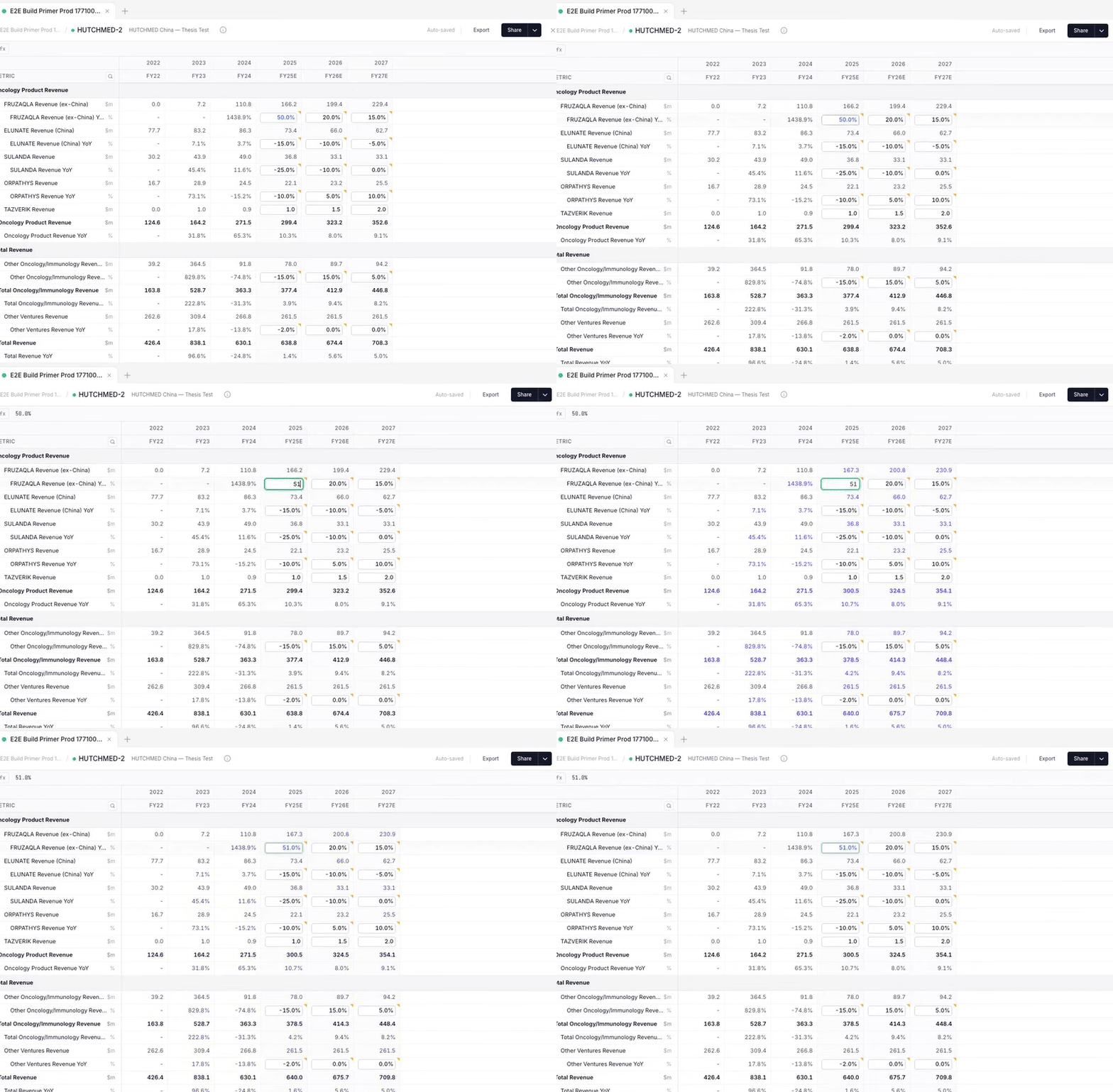
Forecast driver cells can now be edited directly in the grid.
Double-click a driver cell to update an assumption without leaving the model context. For more detailed changes, you can edit values and comments from a dedicated driver editor.
Driver overrides also track the agent-authored baseline, so reset takes you back to a real reference point while preserving units and formatting.
What changed
You can now edit forecast drivers in the model grid. You can change values and add comments.
Why it matters
You can update assumptions without leaving the model.